
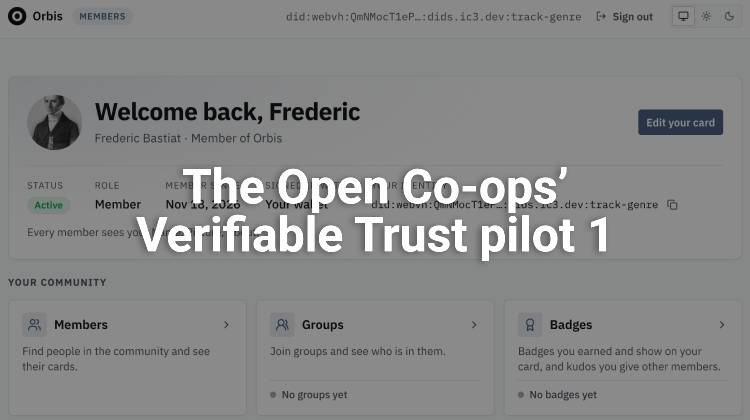
Background: The Verifiable Trust Infrastructure (VTI) and related code we hope to use to power PLANET has now reached the point that it provides a secure, decentralised way to manage trust-based communities. How easy it is to use, how well it works for members, how flexible and how secure it is all remain to be seen, so the objective of our initial pilot is to “kick the tyres” a bit and give feedback to support improvements.
Objective: To explore and test the features of the initial VTI that could power PLANET, to provide feedback and ideas for future development, and to help answer a few key questions about hosting costs.
VTI is enabled through a mobile app and a website (the Verifiable Trust Community, or VTC) that uses decentralised identifiers (DIDs), so before you can join a community you have to set up your own DID and ‘Verifiable Trust Agent’ (VTA) to manage your keys and verifiable credentials (VCs) – but don’t worry, we will prepare screenshots or videos to walk you through the process. Once you’re set up, the current VTI software includes the following features which we are keen to test with you:
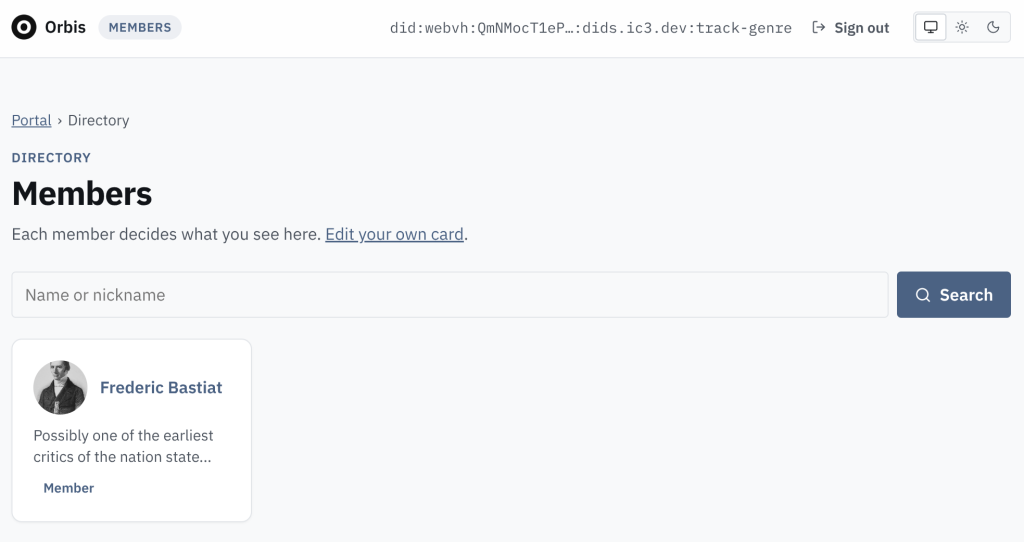
- A searchable Member directory
- Badges – to issue ‘Kudos’ and ‘vouches’ to other members. The first 5 people to join will get an ‘Open Pioneer’ badge 😉
- Polls, which even work for anonymous voting using zero-knowledge proofs (ZKPs) – we will experiment with these in detail
- Data rooms – where we can store shared files and chat as a group
- Boards – to manage proposals and other ideas
- Other features as they are built by the VTI developers
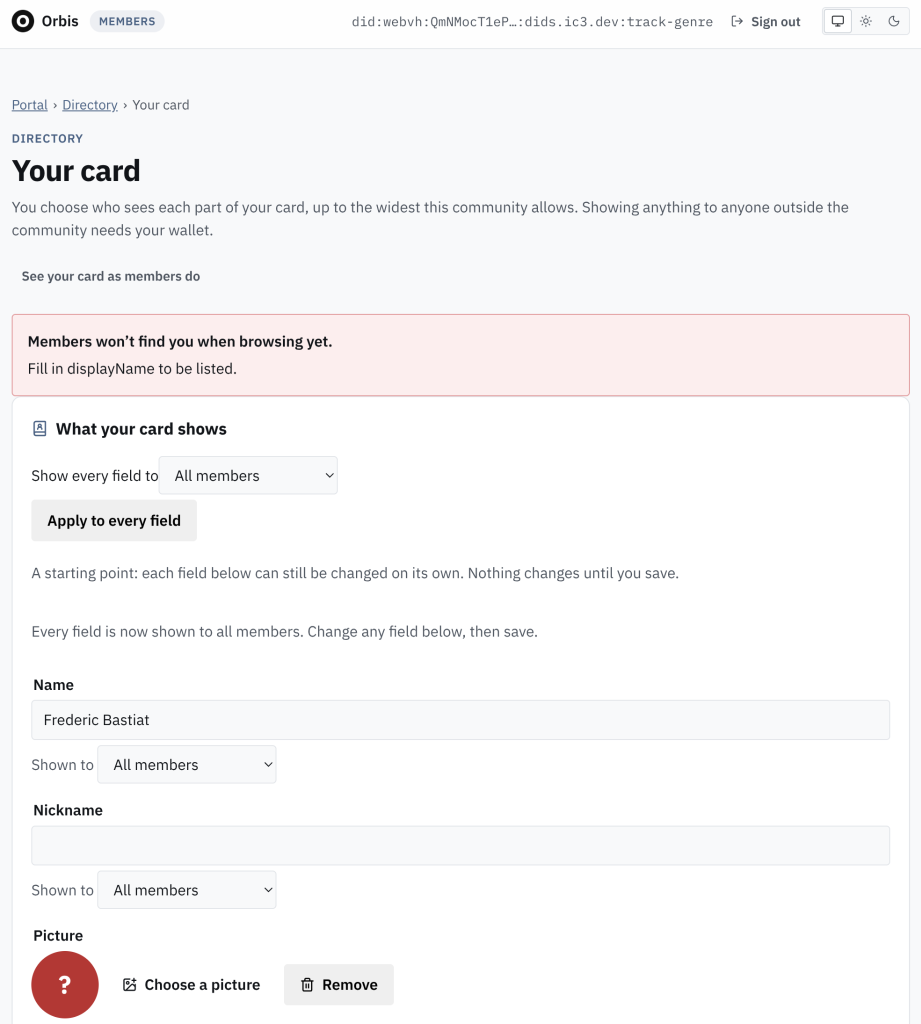
To get a sense of the onboarding flow and the look and feel of the VTC website, please see the screenshots at the bottom of this page.
In order to get the most out of the pilot we are looking for people who will be able to commit to joining, testing and feeding back. The expectation is that you join within the first week and will have tested most of the tools and fed back within a couple of weeks. If you don’t think you can manage that then please make space for other members.
There are also a few requirements for joining the Pilot:
As well committing to joining within the first week, testing and feedback back on all features within a couple of weeks you will need:
- A modern smart phone – no more than 5 years old (either iOS and Android operating system)
- A fairly modern computer (laptop or desktop in front of you) so you can switch between devices
There is no expectation that the initial pilot environment will survive. It might do! But we also might tear it all down and rebuild from a completely new installation, once we have taken on board the lessons learned from pilot 1.
The main idea of the pilot is to test what else we need to do before we can launch a stable set of community tools for The Open Co-op, to work out what else needs to be done before we can launch pilots for other communities (who may not be tech savvy) and to answer a few basic questions about how much it costs to run so we know how much we would need to charge members if we roll out a hosted version of the VTI software for The Open Co-op and other communities.
We are very keen to hear your questions and input, so your collaborative input will be really appreciated.
To apply to join the Pilot first, join The Open Co-op then, let us know you’d like to join the pilot (only Open Co-op members can join.)
A few screenshots showing what to expect in the demo
Groups can self-organize into Verifiable Trust Communities (VTCs) using secure open source software written by industry experts and enabling the latest technologies such as privacy-preserving zero-knowledge proofs and quantum-resistant cryptography.
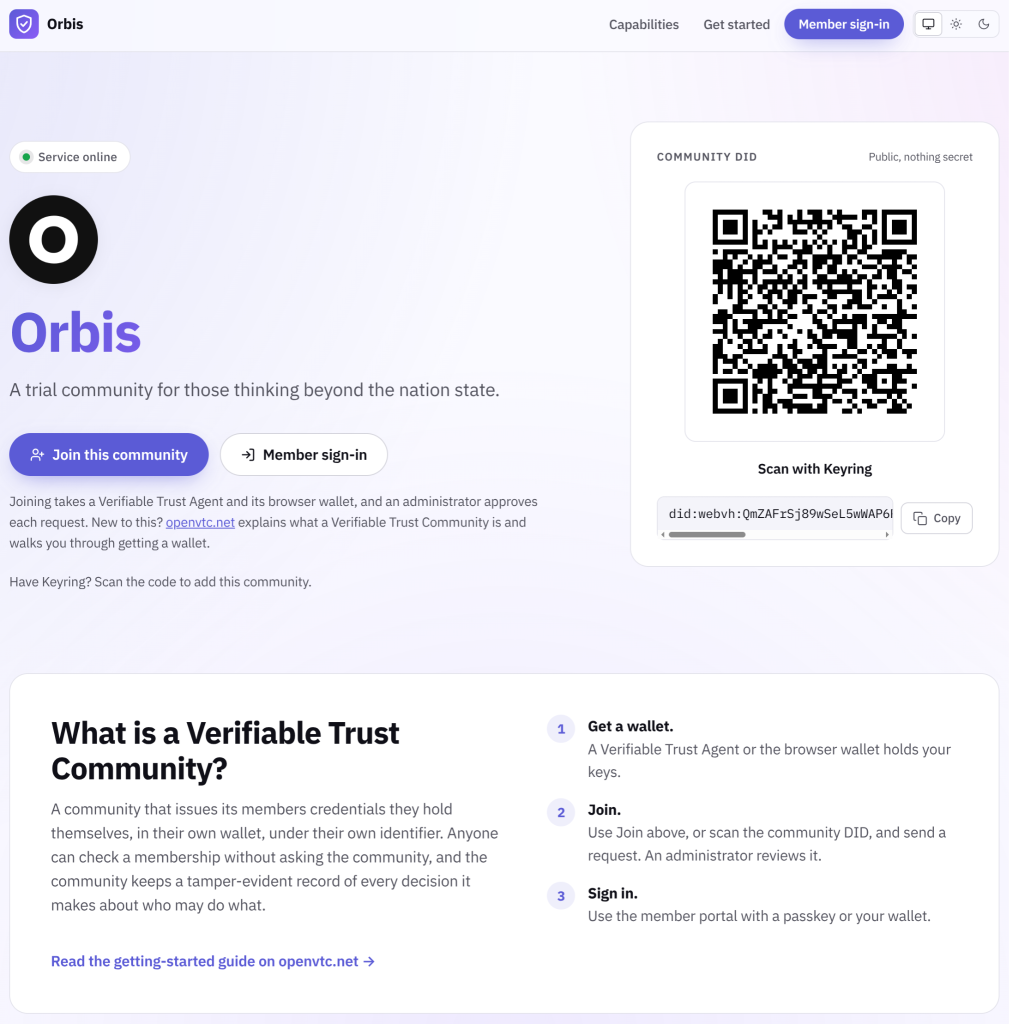
Community members use their smartphones to interact with the VTC software. They download and install the wallet software just like any other app.
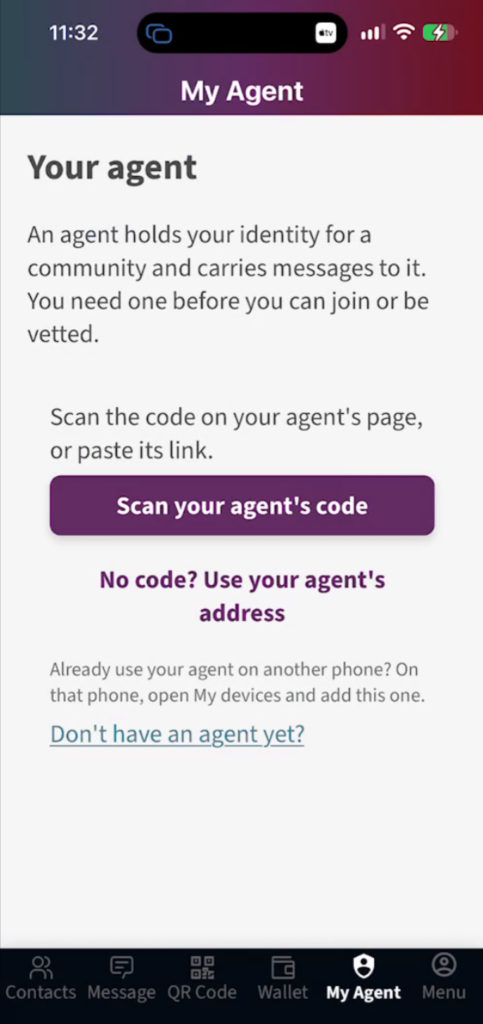
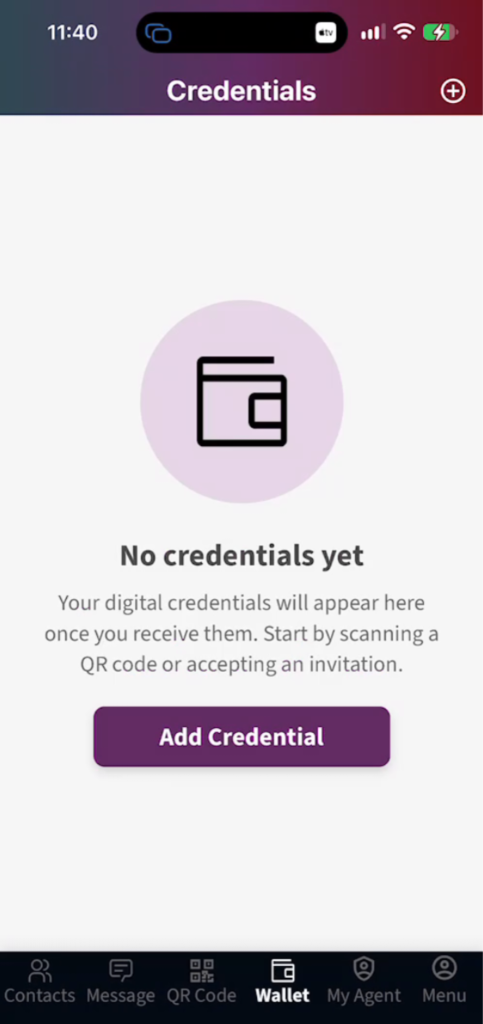
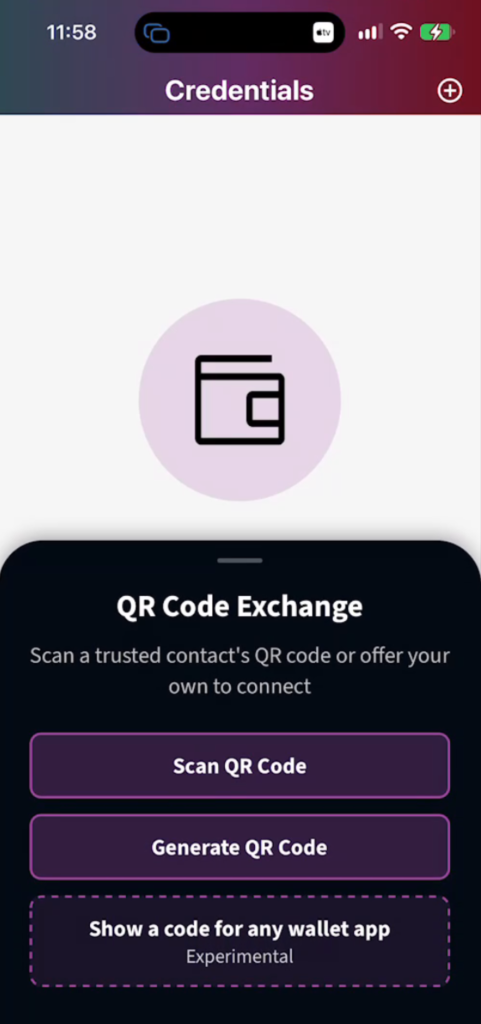
Each member links their phone to an online, always-on Trust Agent hosted in the cloud. Joining is a simple scan of a QR code and following a few on-screen prompts.
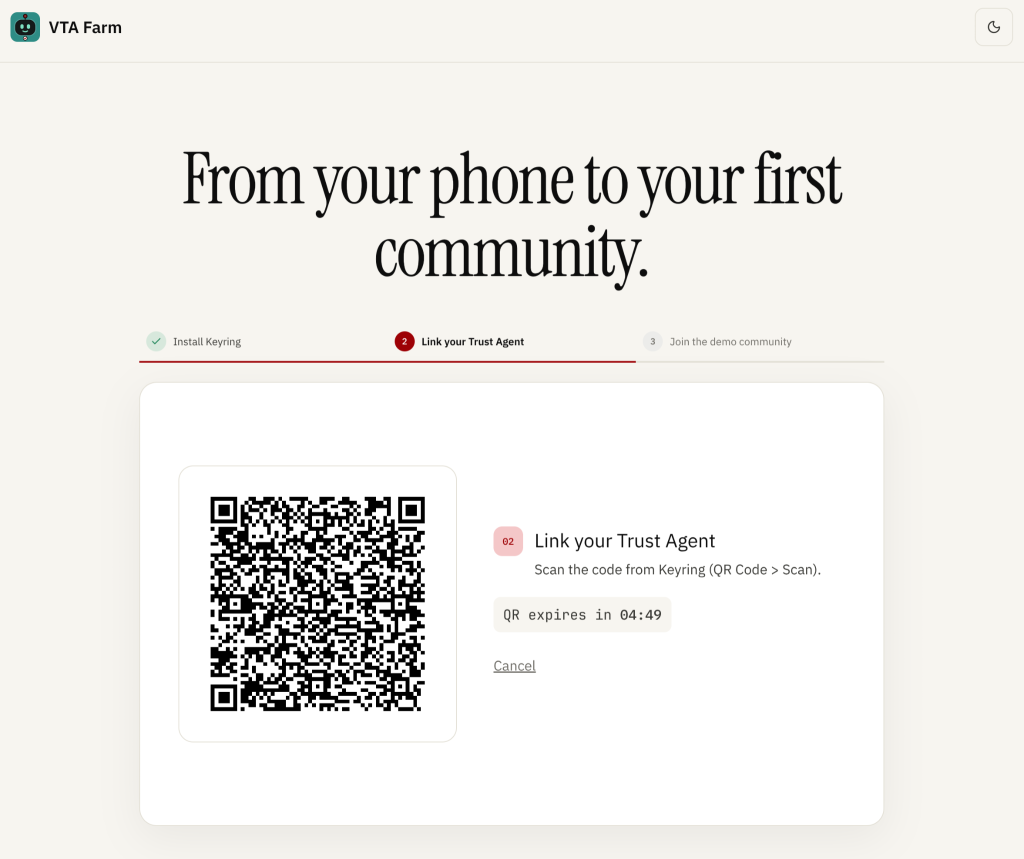
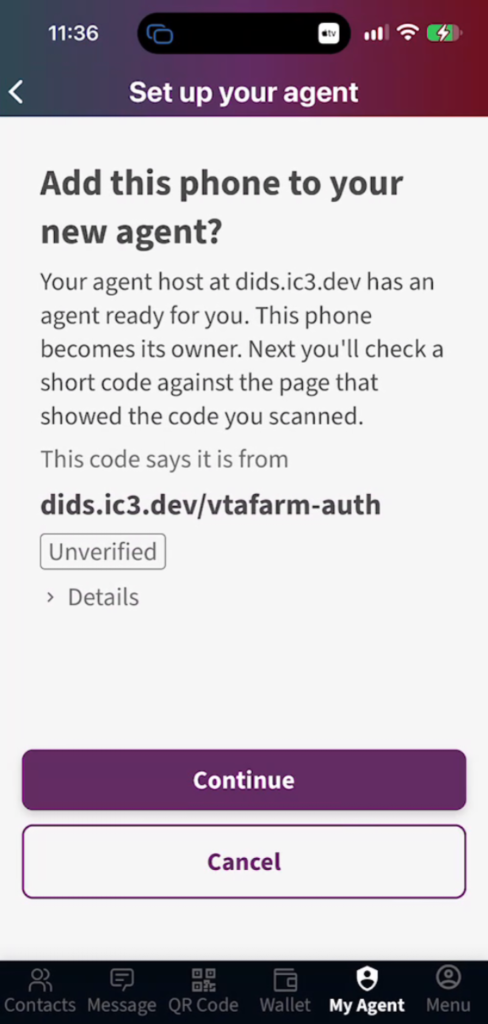
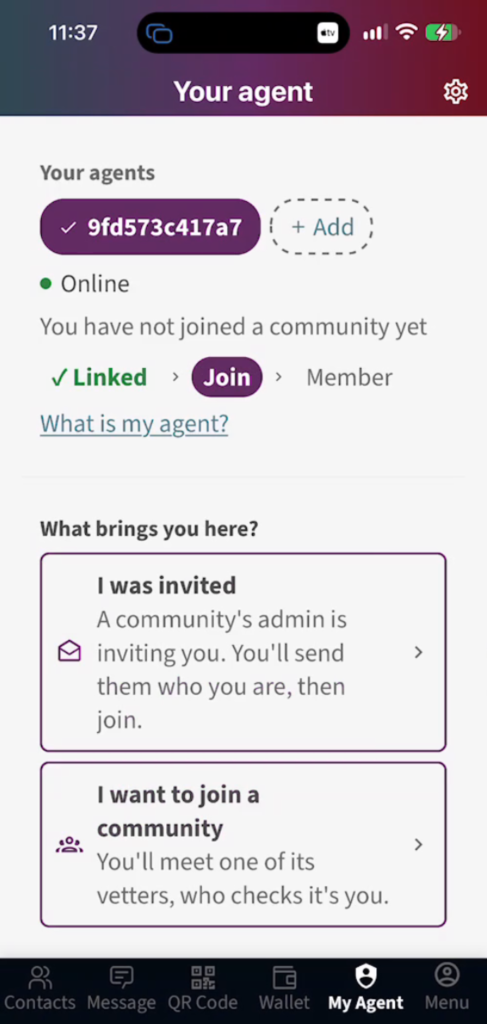
Once their agent is set up, they can join their VTC, again by scanning a QR code.
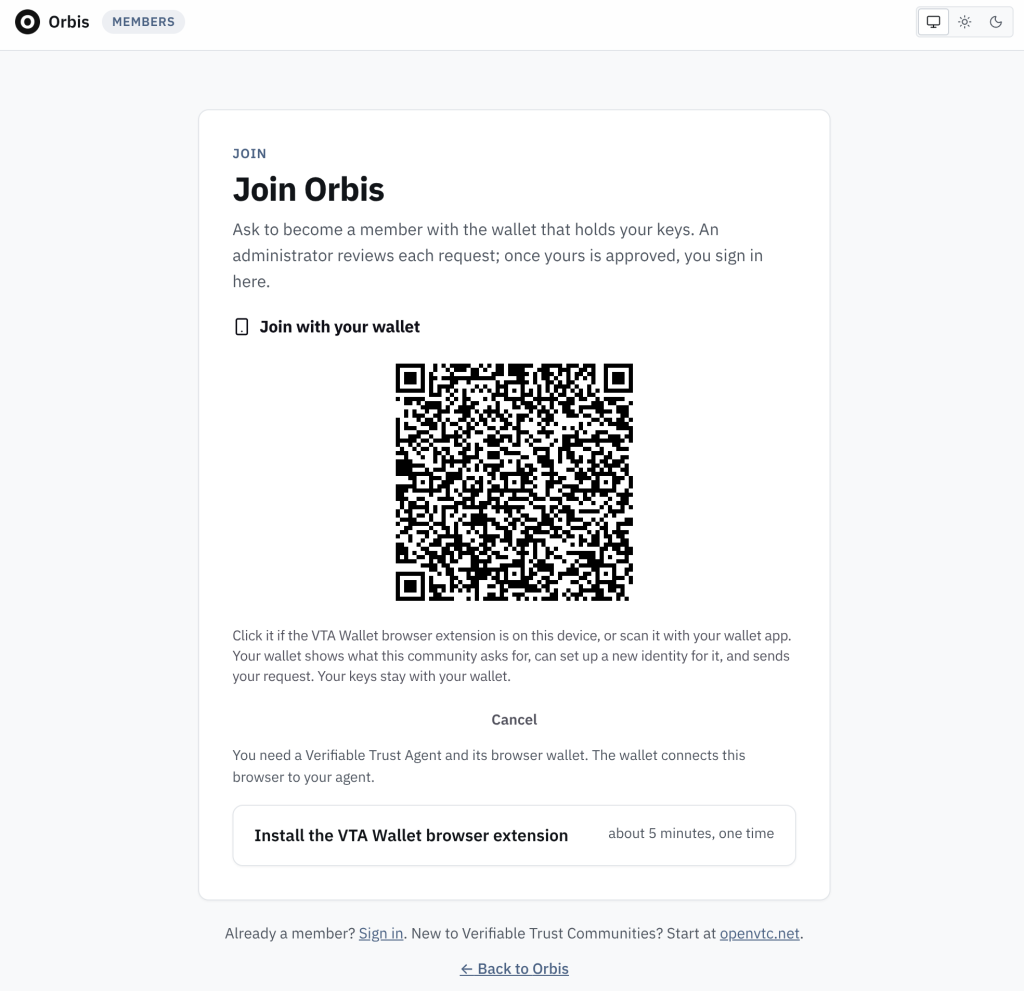
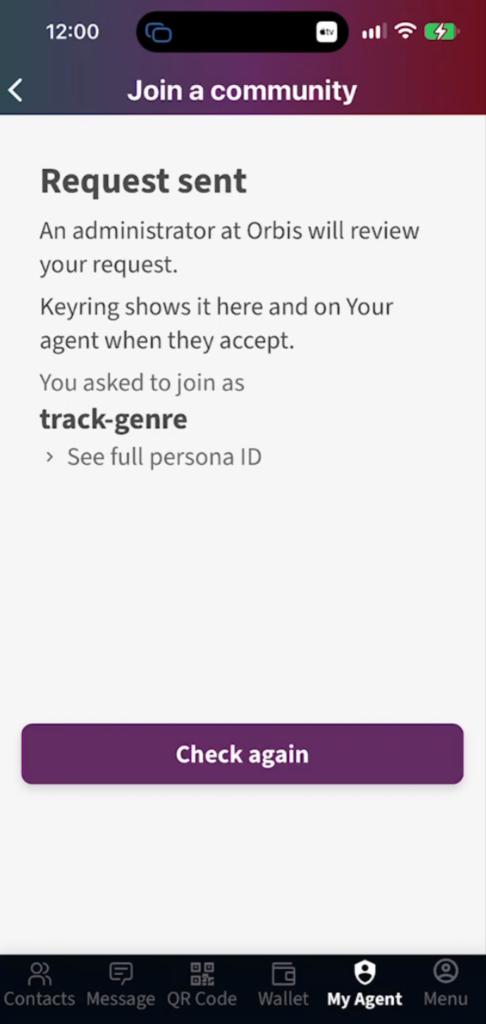
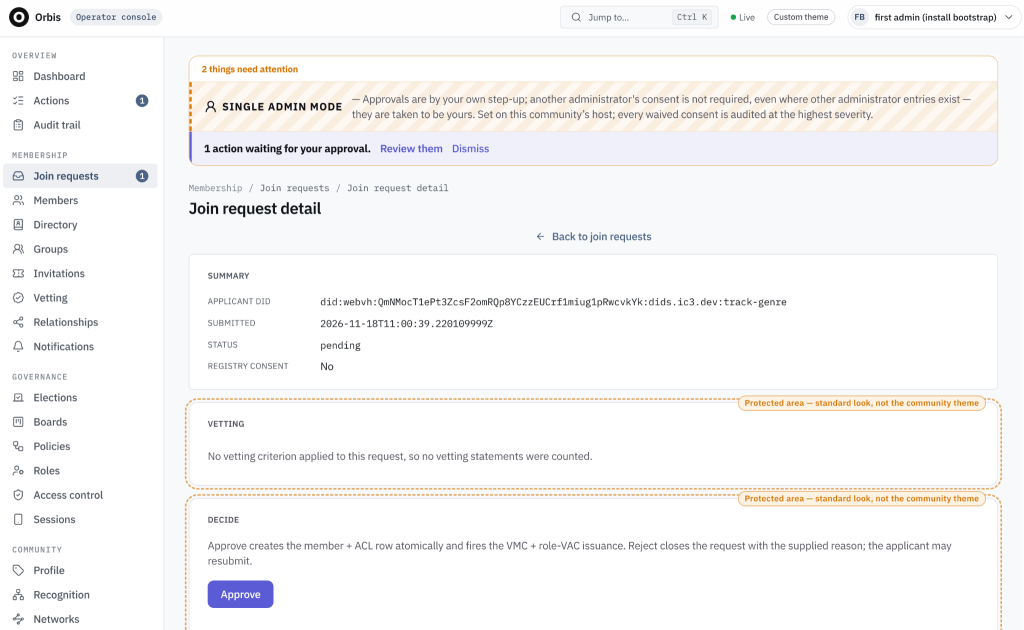
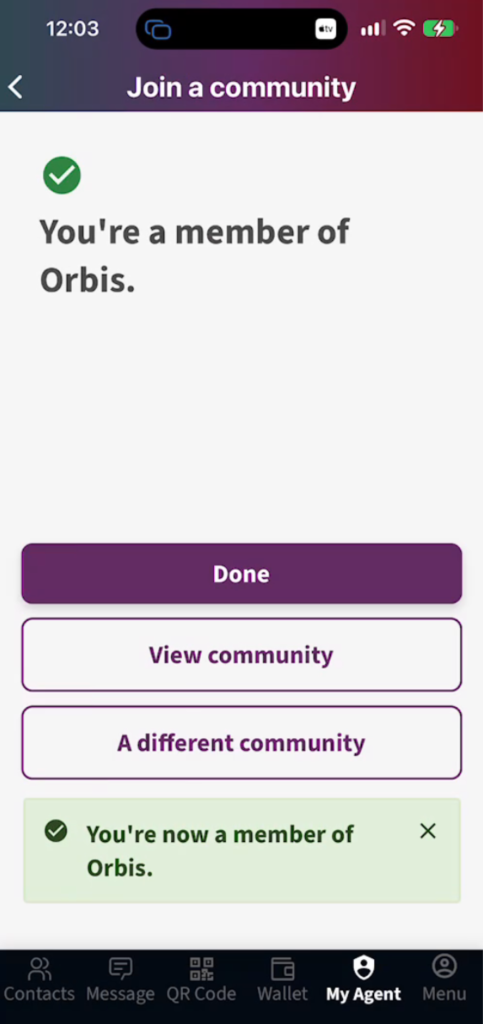
A community admin sees their request and adds them as a member of their VTC.
Members receive digital credentials which they can share with others to prove their membership in the community (they don’t have to, but they can).
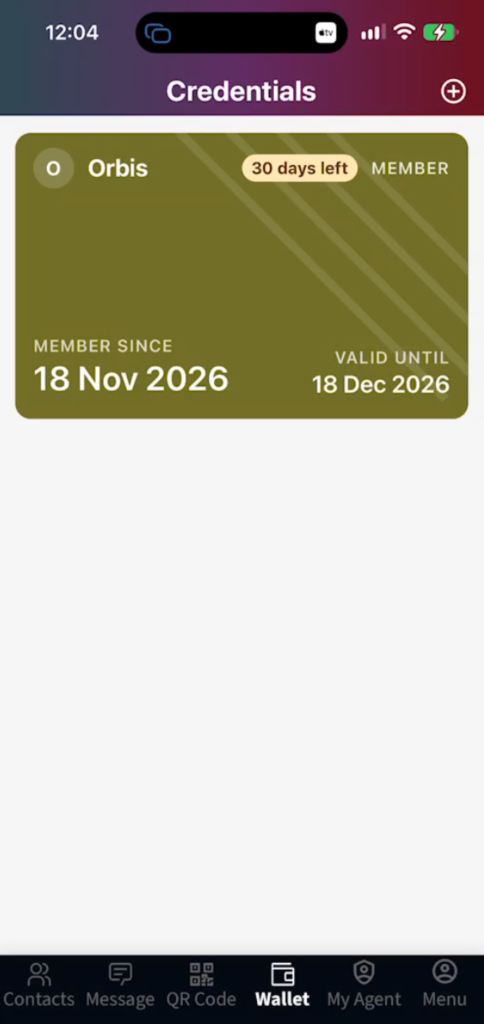
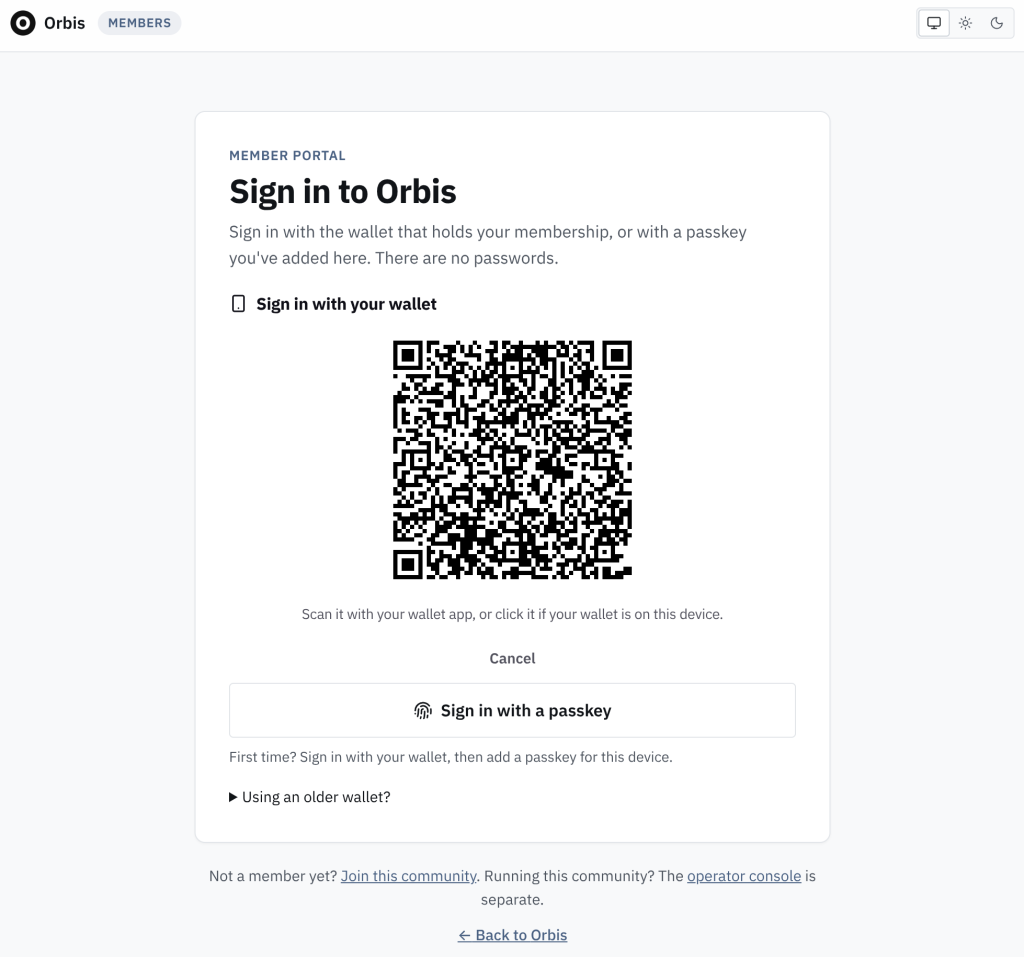
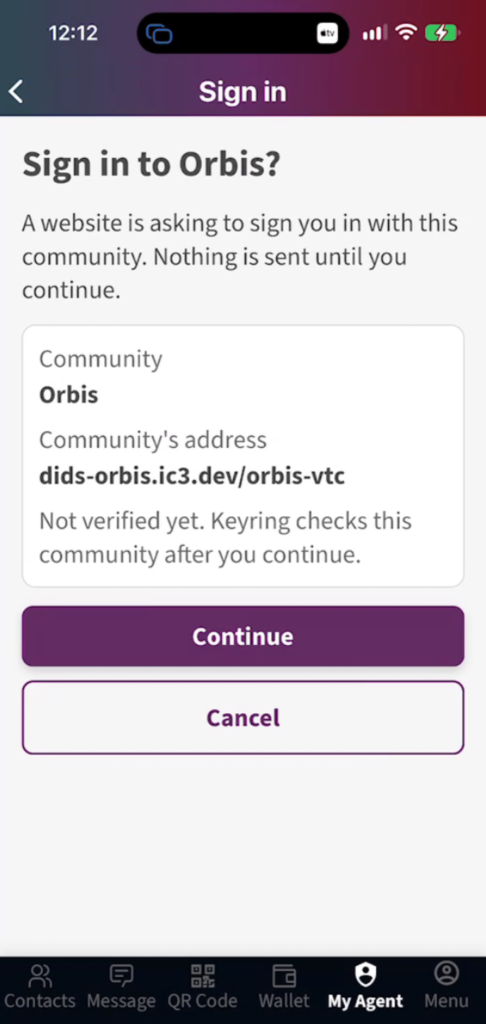
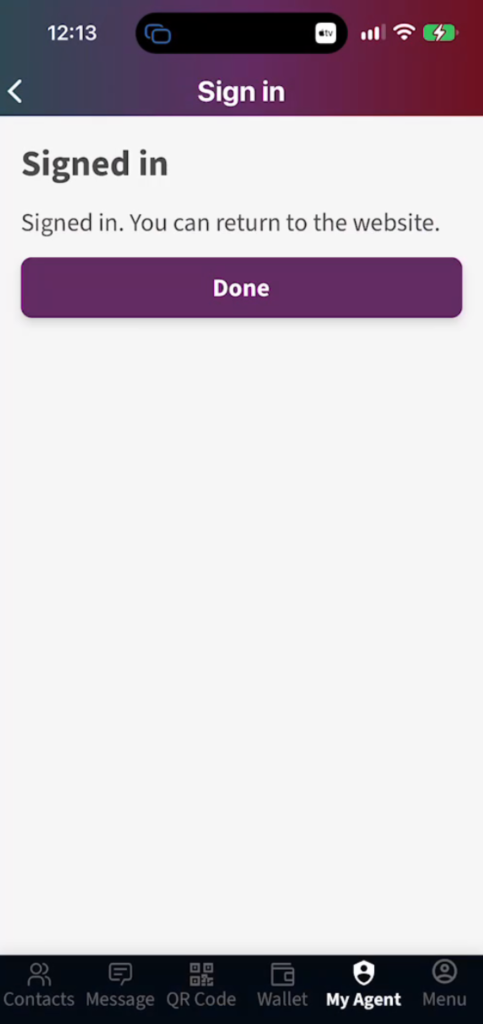
They can interact with the VTC through their phone, but the VTC website is a second option. Again, logging in involves just scanning a QR code.
Members can set up their profiles so other members can see who is there (Members Directory).
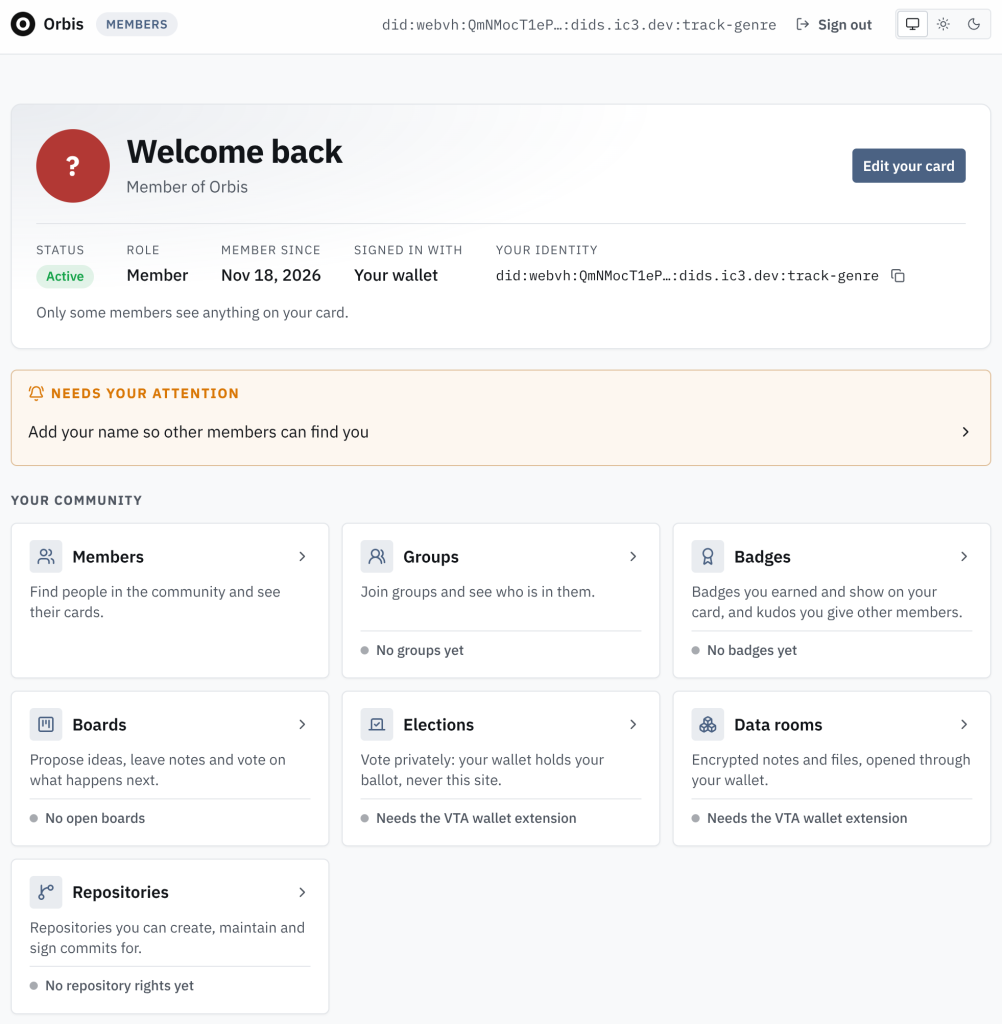
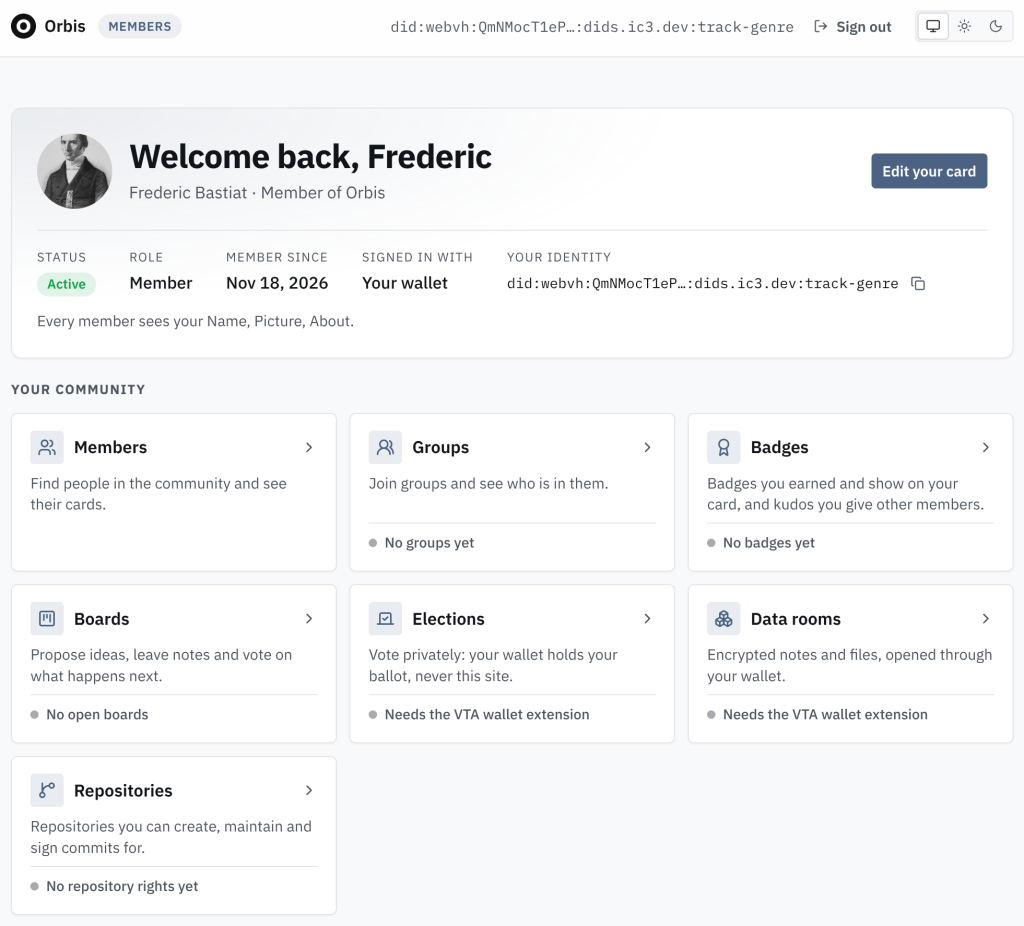
Other functionality with the VTC includes shared data rooms (for the whole community or for sub-groups of members), secure (and even anonymous) voting, idea boards (which can host proposals for voting) and controlling access to shared code repositories (a feature for open source software communities).